Home › How it works
What you actually get
Not an artist’s impression. Every picture below is a screenshot of the running application, taken automatically by driving the real screens over a sample quarter — so when the product changes, these change with it.
Every party, invoice number and figure is invented. No client data appears anywhere on this site.
1. Books vs GST returns
The sale register against the GSTR-1 you filed. One screen, four choices and two files.
1The screen, labelled
Everything the reconciliation needs is on one page — no wizard, no eight-step flow to click through before you find out the register would not read.
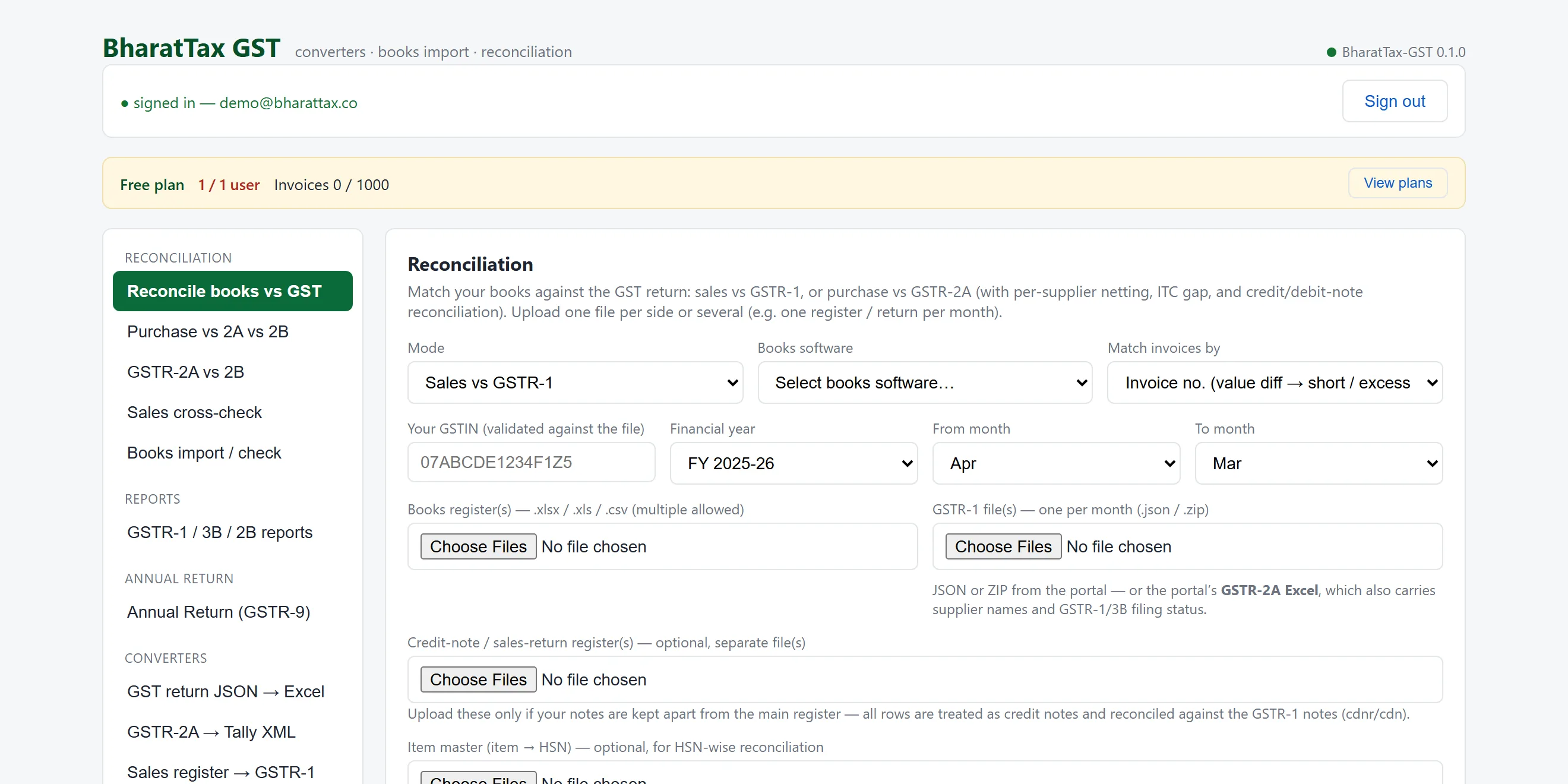
- Every tool in one list. The reconciliation, the three-way ITC view, the annual return, the converters.
- What the plan allows, and how much of it is used.
- Sales against the GSTR-1, or purchase against the 2A or the 2B.
- Pick the package that wrote the file. Nothing to re-key.
- Checked against every uploaded file before anything is read.
- The RETURN period, not the invoice date.
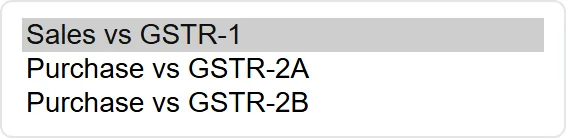
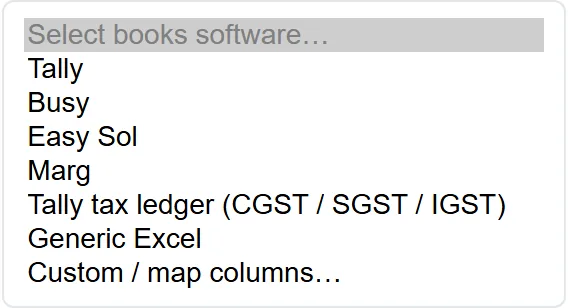
2What is inside each dropdown
A native dropdown will not appear in a screenshot — the operating system draws it, not the page — so these are the same controls rendered open. The options are read from the live screen, not retyped.

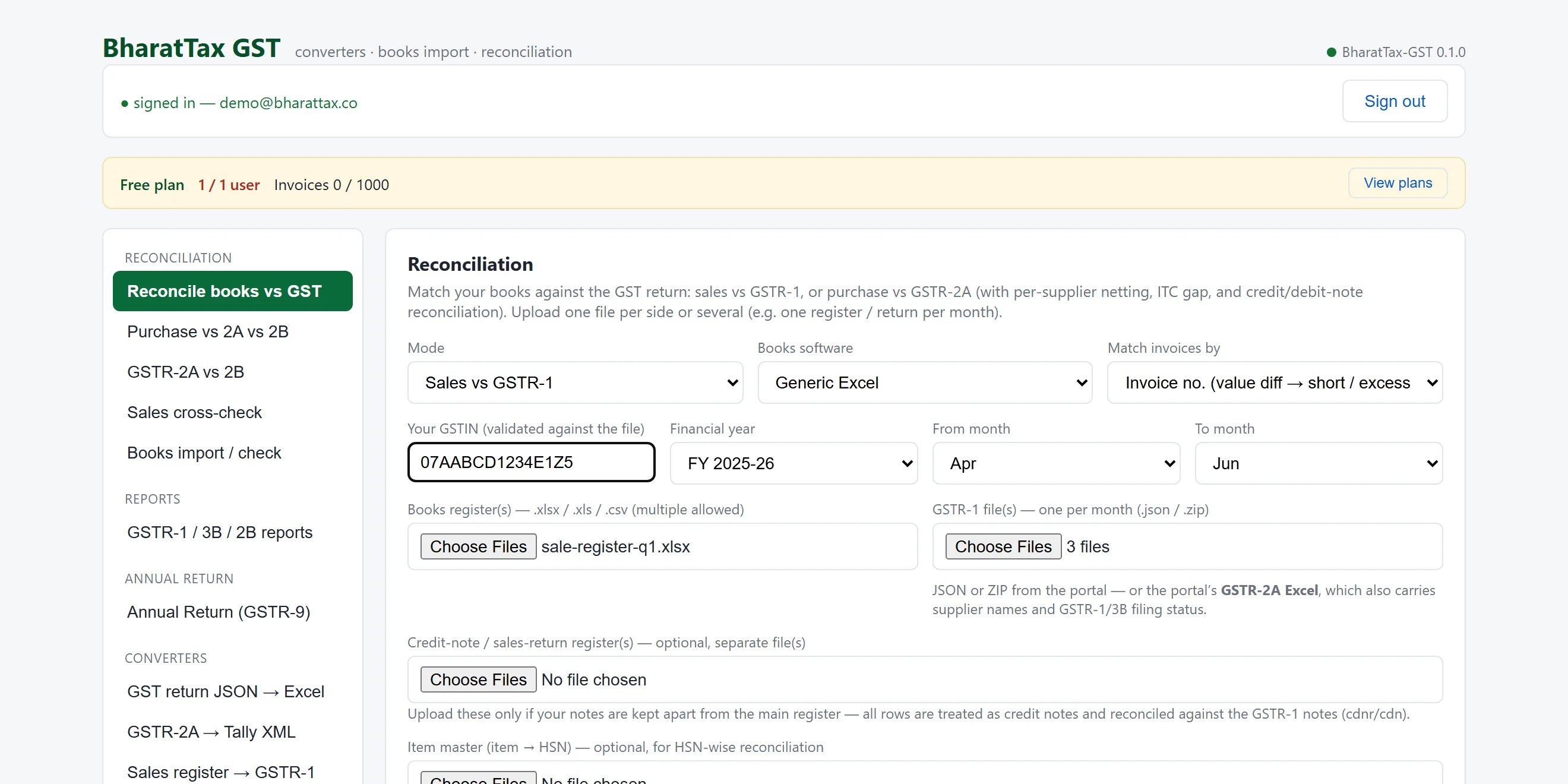
3The files, as they come out of your software
A sale register and one GSTR-1 per month. No template to fill in, no columns to rename. The GSTIN and the period on every uploaded file are checked against what you entered before a single row is read.
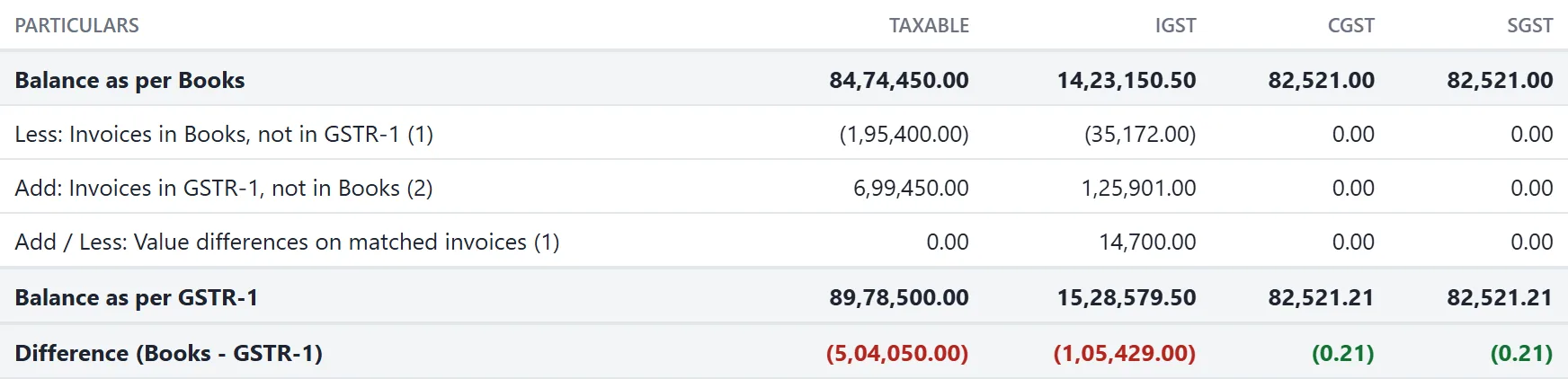
4Books to GSTR-1, as a statement
The same shape as the working paper you would write by hand: the balance per books, each adjustment with the number of documents behind it, the balance per return, and the difference. Negatives in brackets.
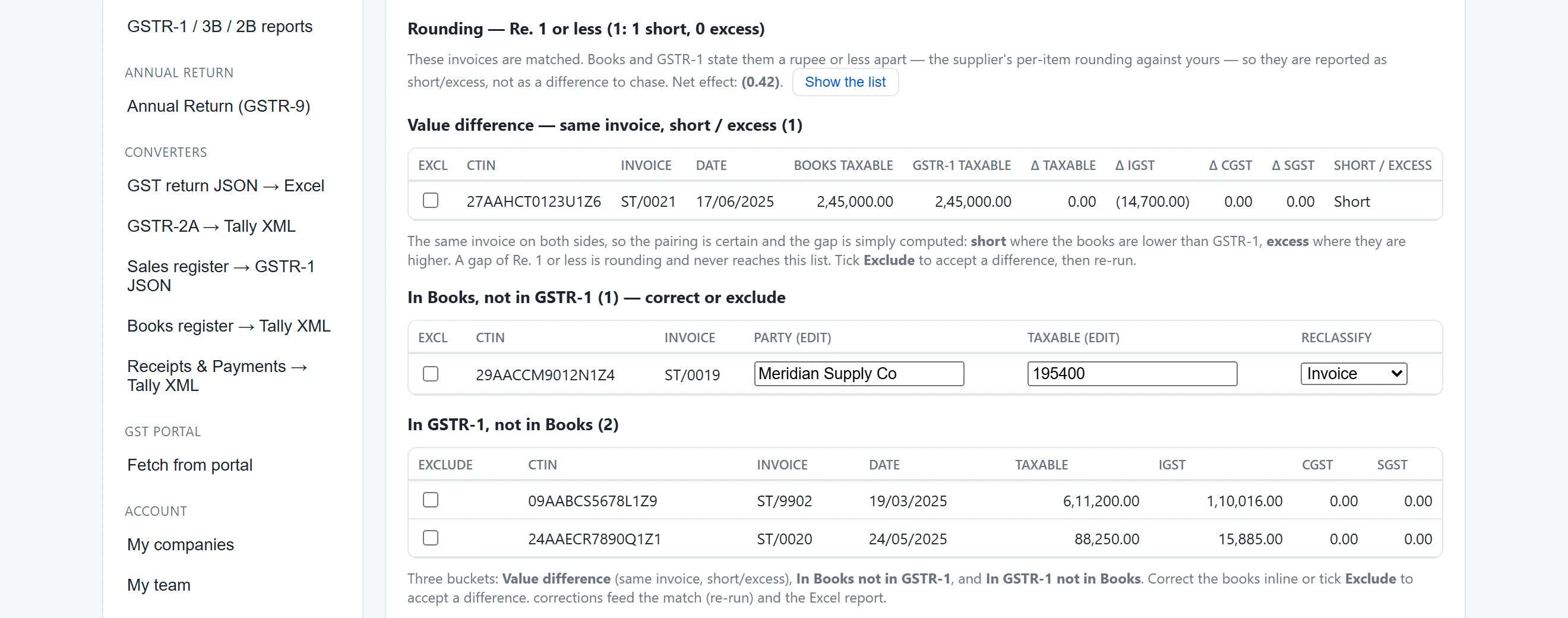
5The exceptions, separated by what they are
Four different problems, four different lists — because an invoice the supplier never declared and an invoice you never booked are different people’s work. Note the rounding line: a gap of a rupee or less is reported as rounding and never reaches the list of things to chase.
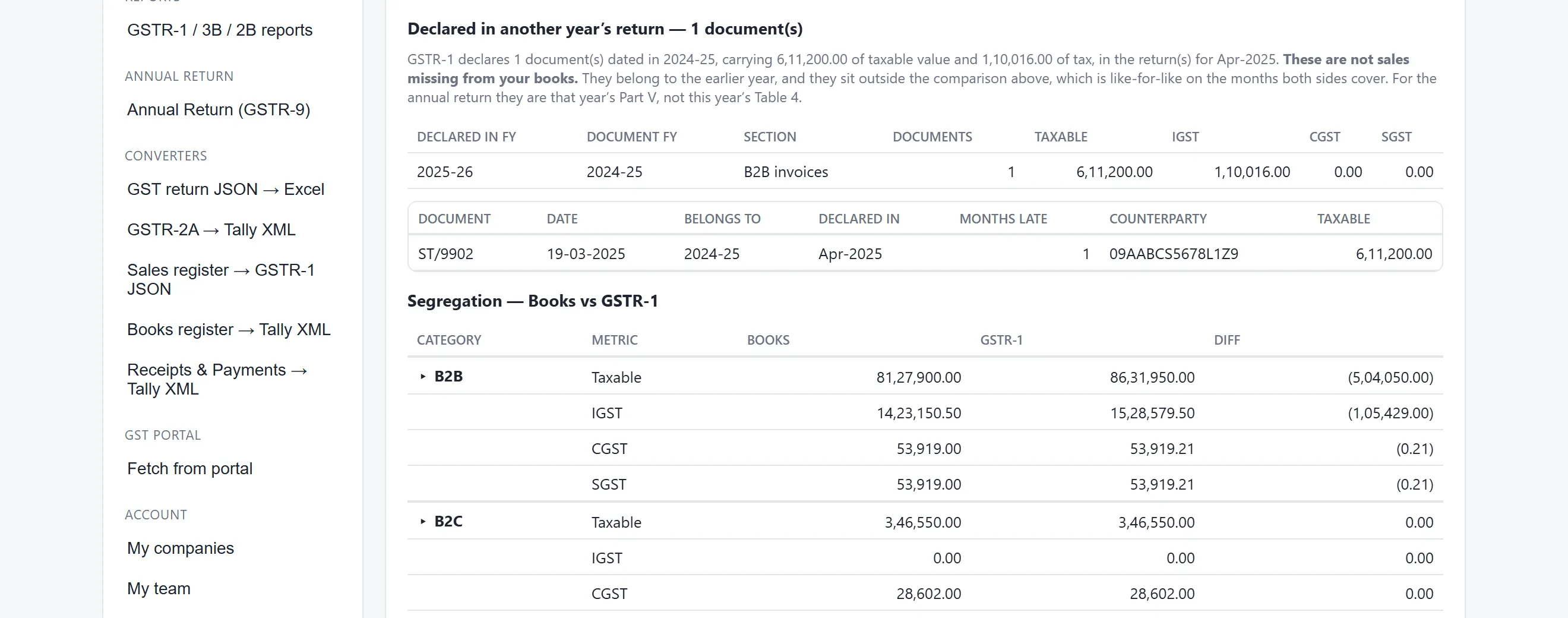
6The document that belongs to another year
An invoice dated 19 March declared in the April return is not a sale missing from the books. It is last year’s. Left in the exceptions it would be chased for an hour and explain nothing; named, it takes a minute.
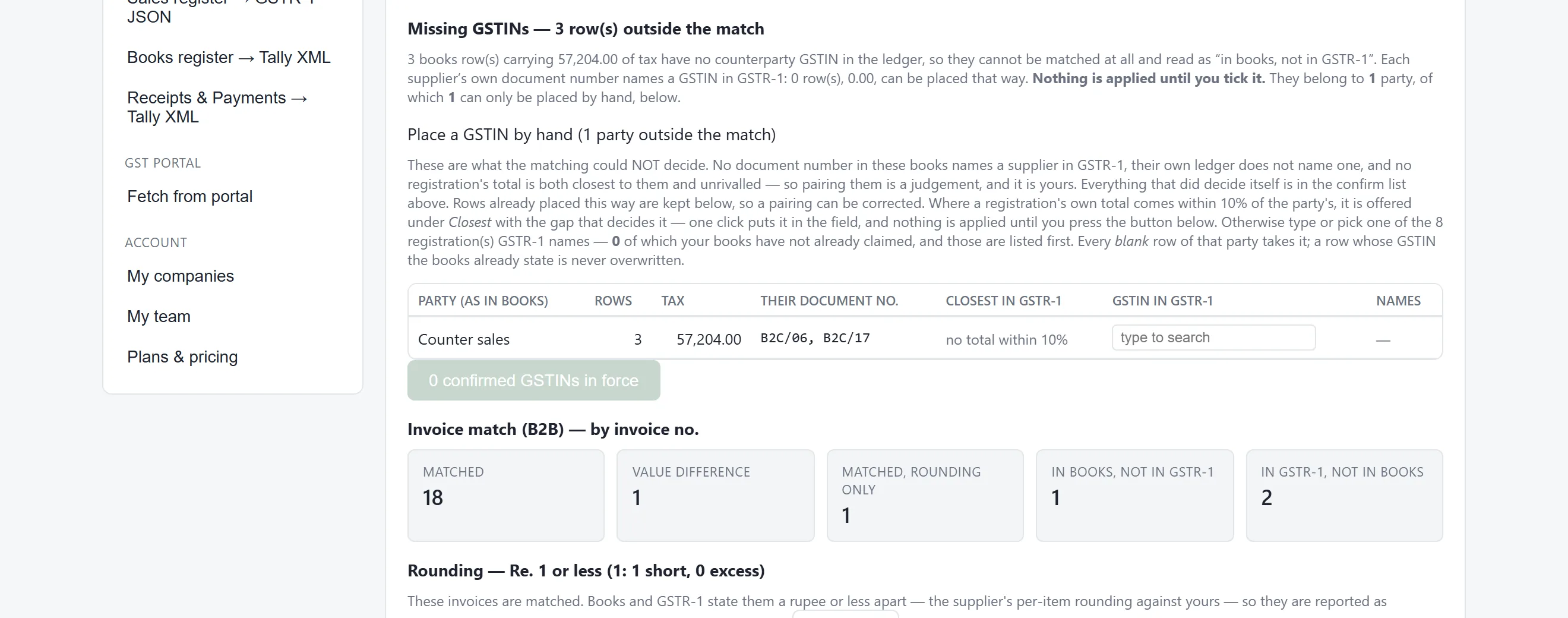
7The parties nothing could place
No document number in the books names this supplier in the return, and no tax total identifies one. Without this panel a register with unplaceable rows shows an empty proposals table and reads as finished.
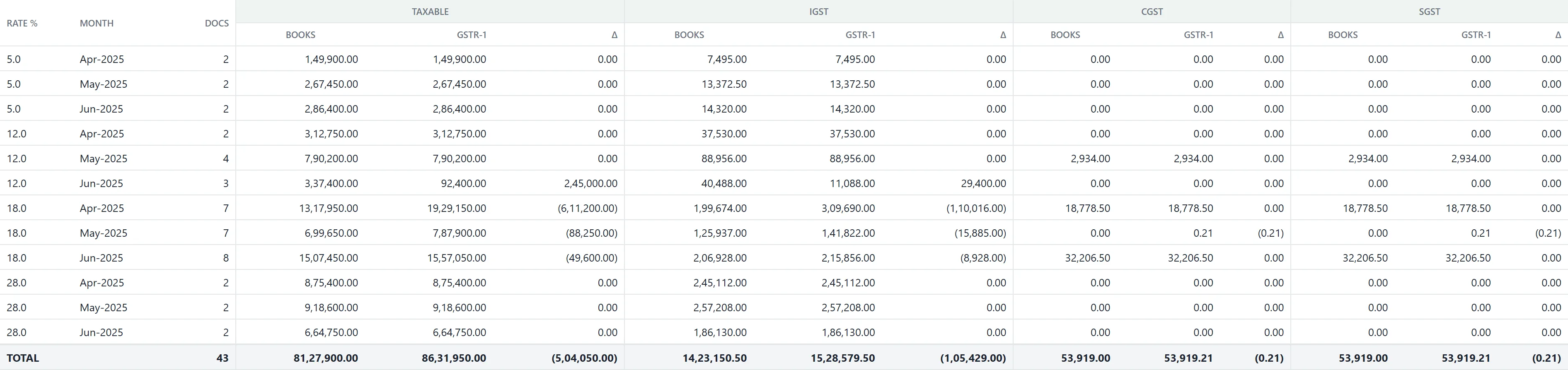
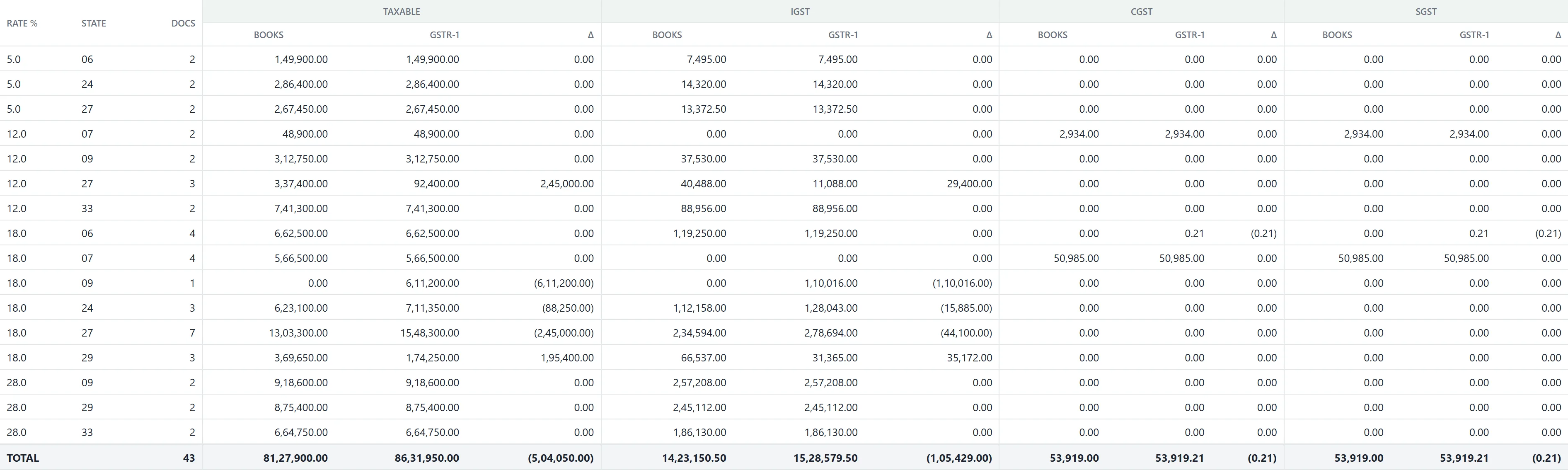
8Ten ways to read the same reconciliation
One run, sliced by whichever dimension answers the question in front of you. Each view shows books, return and the difference for every tax head, and every row opens on the invoices behind it.








9Any row, down to the invoices
A total nobody can take apart is a total nobody trusts. Open a row and the documents behind it are listed — invoice number, date, party, GSTIN, rate and the tax.

2. Purchase vs GSTR-2A vs GSTR-2B
The whole input-tax position in one table. A two-way reconciliation can tell you an invoice is missing; only this can tell you why.
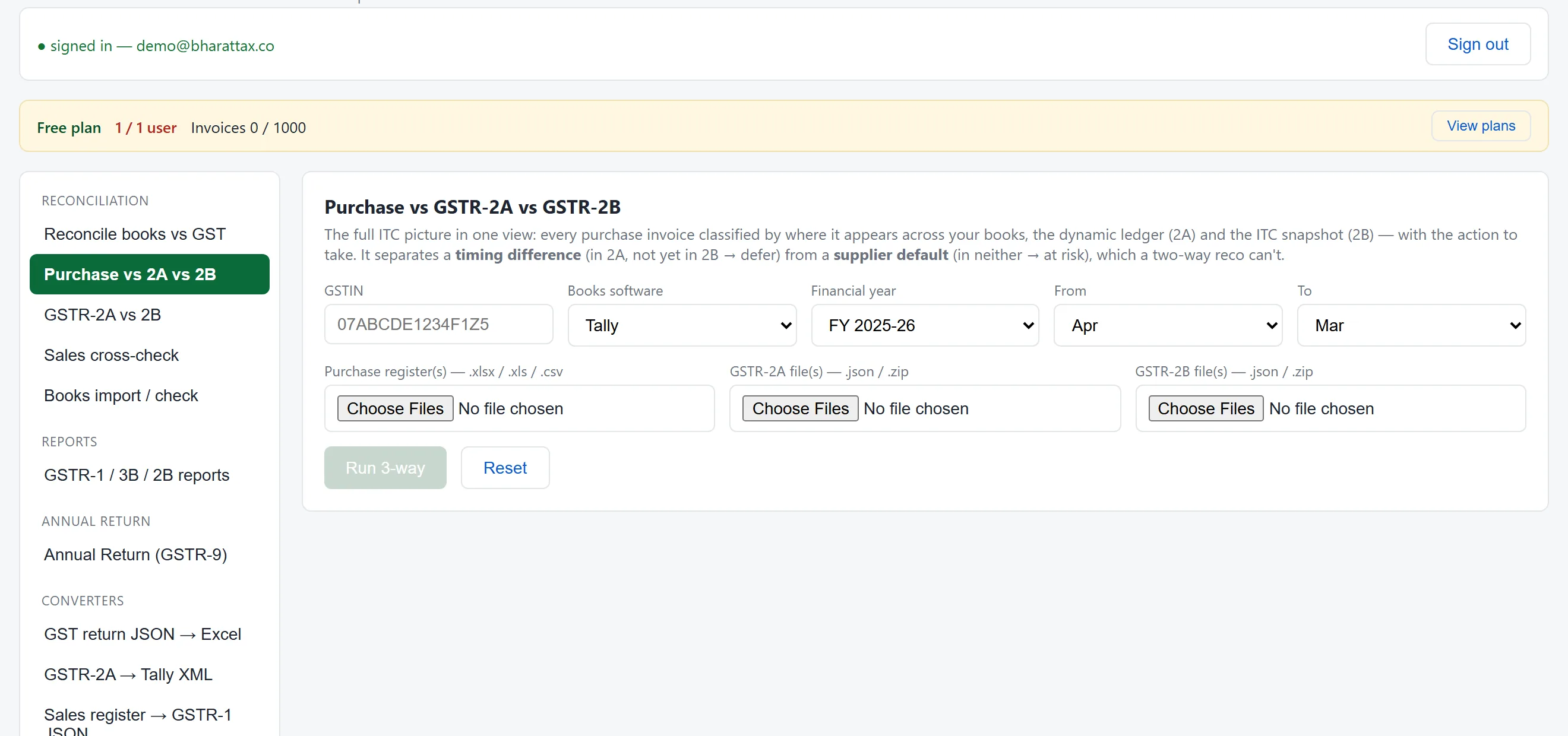
1Three sources in, one classification out
The purchase register, the 2A and the 2B — one file per month for each. The same books readers as everywhere else, so the register needs no preparation.
2Every invoice placed, with the action to take
This is the table the whole feature exists for. In books and the 2A but not the 2B is a supplier who filed after the cut-off — a timing difference, so defer the credit. In books and in neither is a supplier who has not declared it at all — the credit is at risk under Rule 37A, and the row is marked. Those two look identical to a two-way reco and call for opposite actions.

3. GSTR-2A vs GSTR-2B
When the question is only which credits are visible but not yet available, the two returns are compared on their own — no books needed.
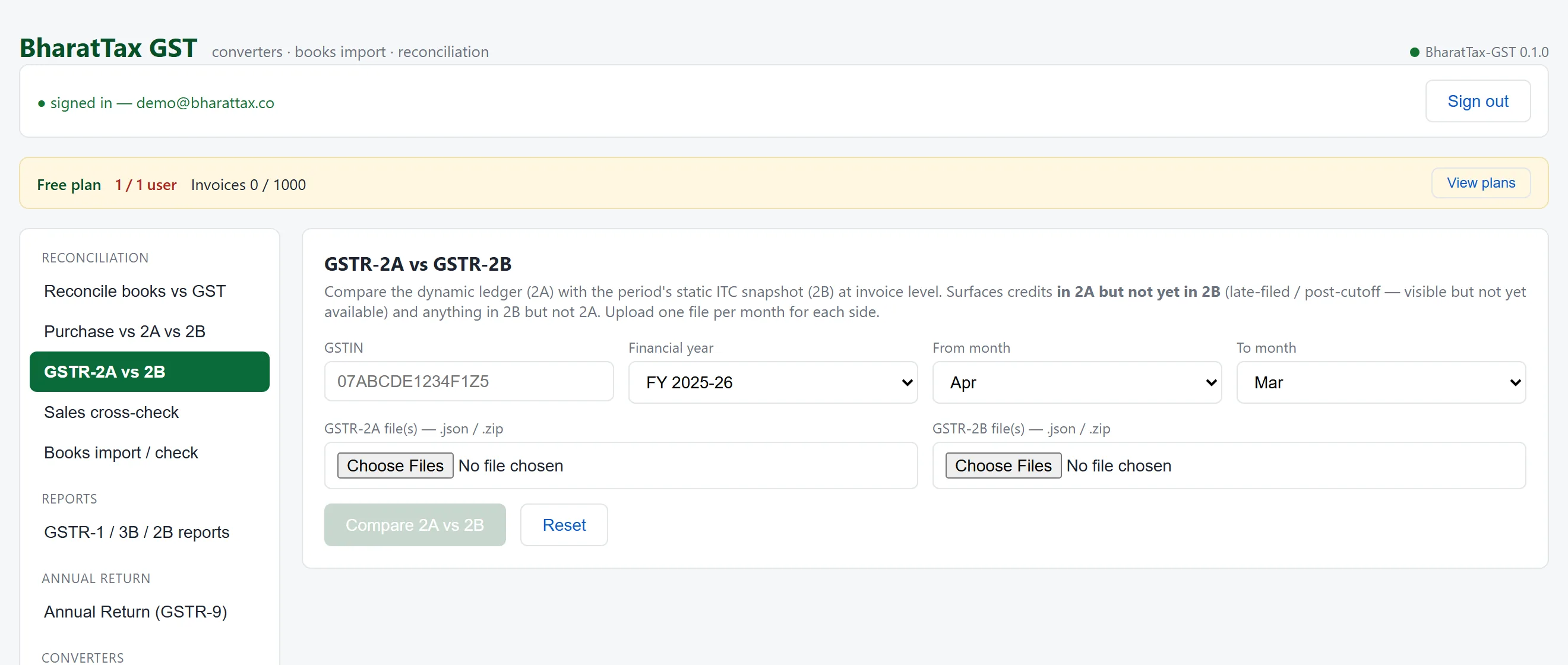

The two are keyed differently, and it matters. The 2A is keyed to the supplier’s return period; the 2B to the availability window. So the April 2B always carries the previous March. A comparison that treats them as the same period reports a difference that is not one.
4. Sales cross-check — register, GSTR-1 and e-invoice
Three outward-supply sources, any two compared at invoice level: your sale register, the GSTR-1 CSV you filed, and the e-invoice register that carries an IRN.
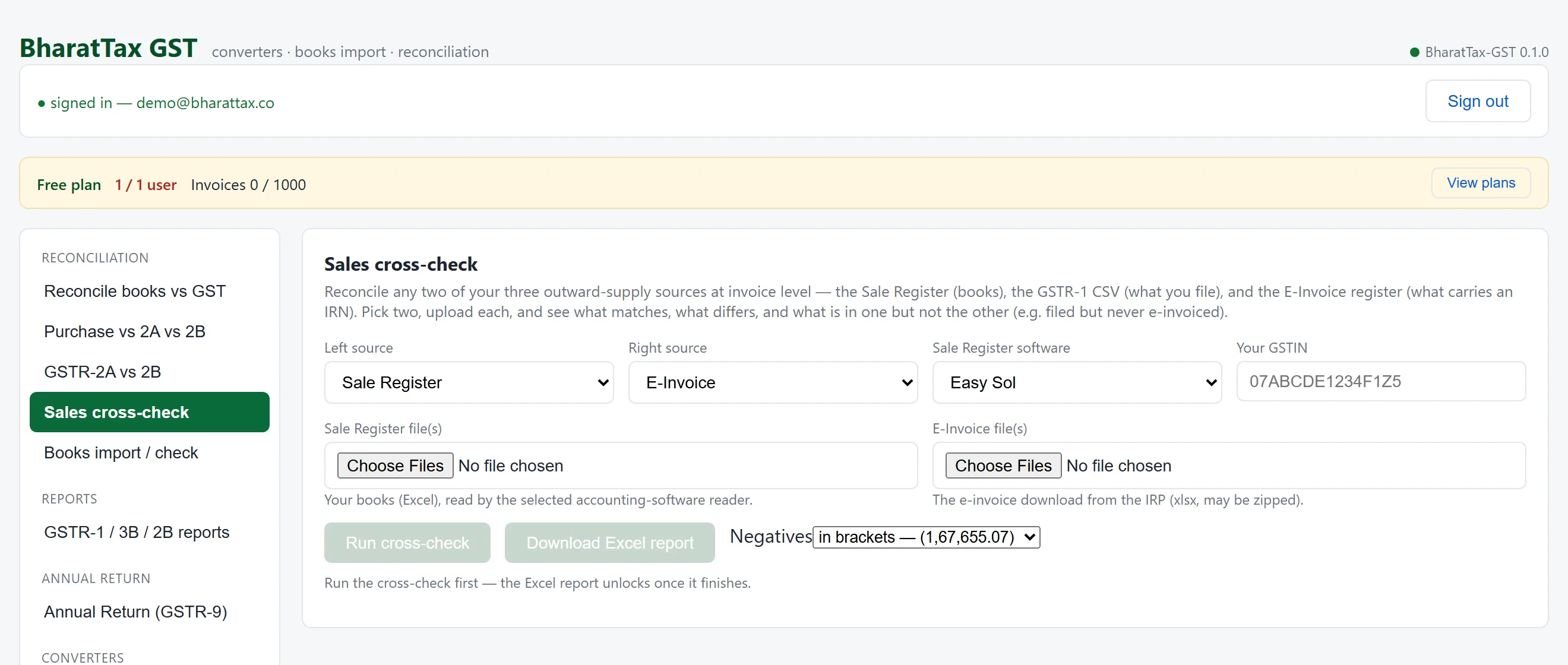
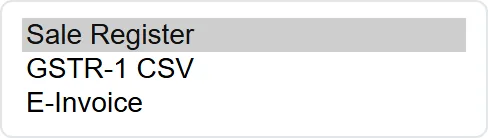
1Pick any two of the three
The comparison runs on whichever pair answers the question. Register against GSTR-1 asks whether you filed what you booked; register or GSTR-1 against the e-invoice register asks a compliance question instead.
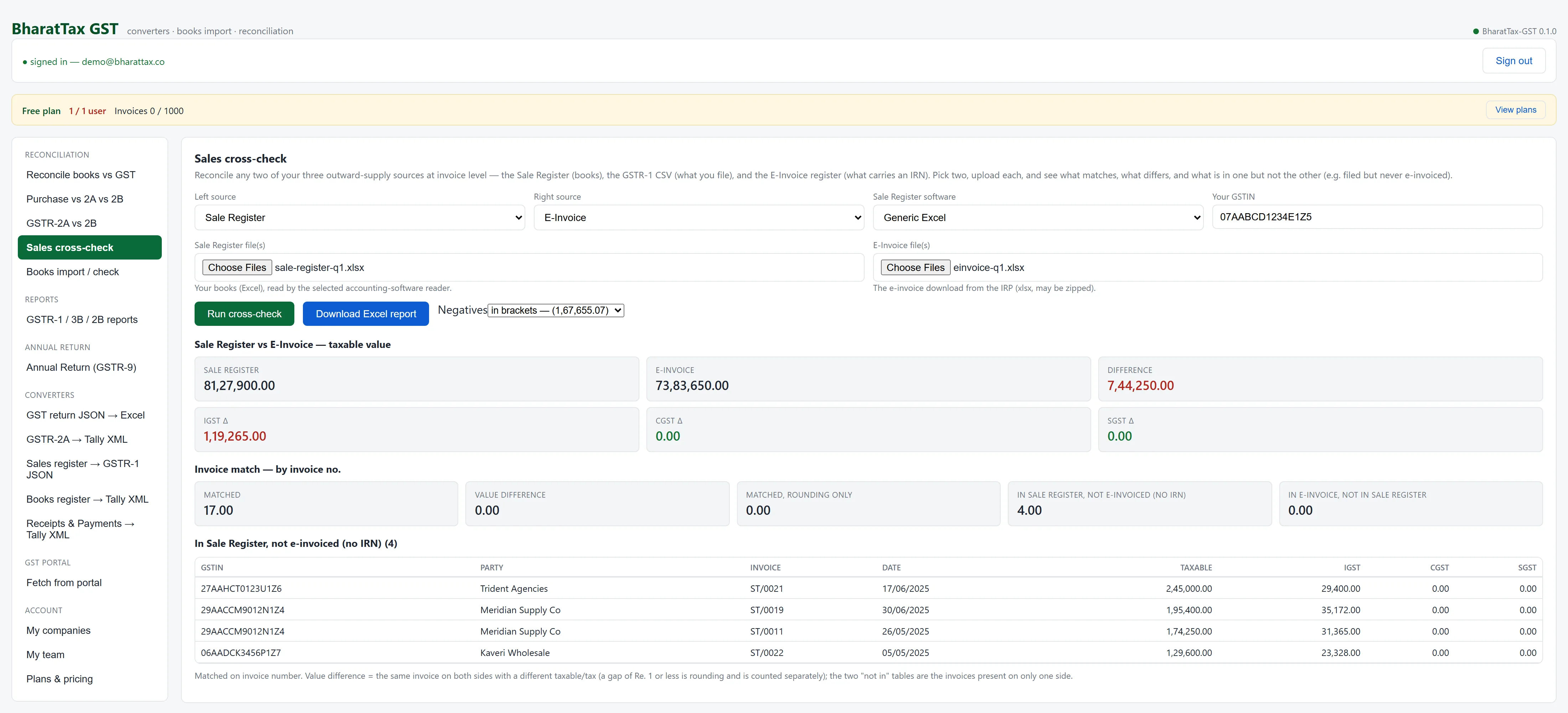
2Filed, but never e-invoiced
The bucket that matters: invoices present in the sale register with no IRN against them. Each is listed with its party, GSTIN, date and tax, so the list can go straight to whoever has to raise them.
5. Annual return (GSTR-9)
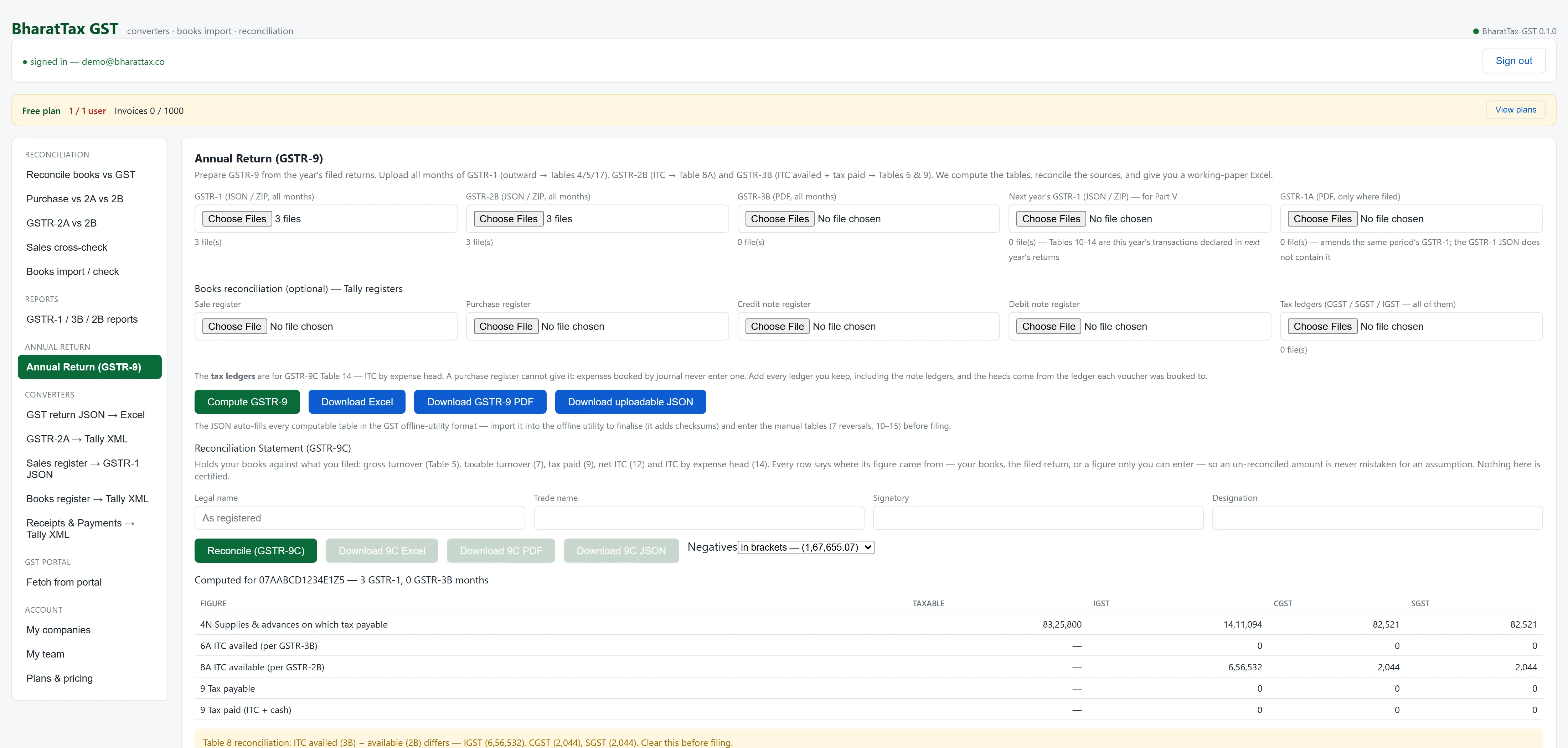
The annual return is mostly arithmetic over returns you have already filed. Upload the year and the tables compute.
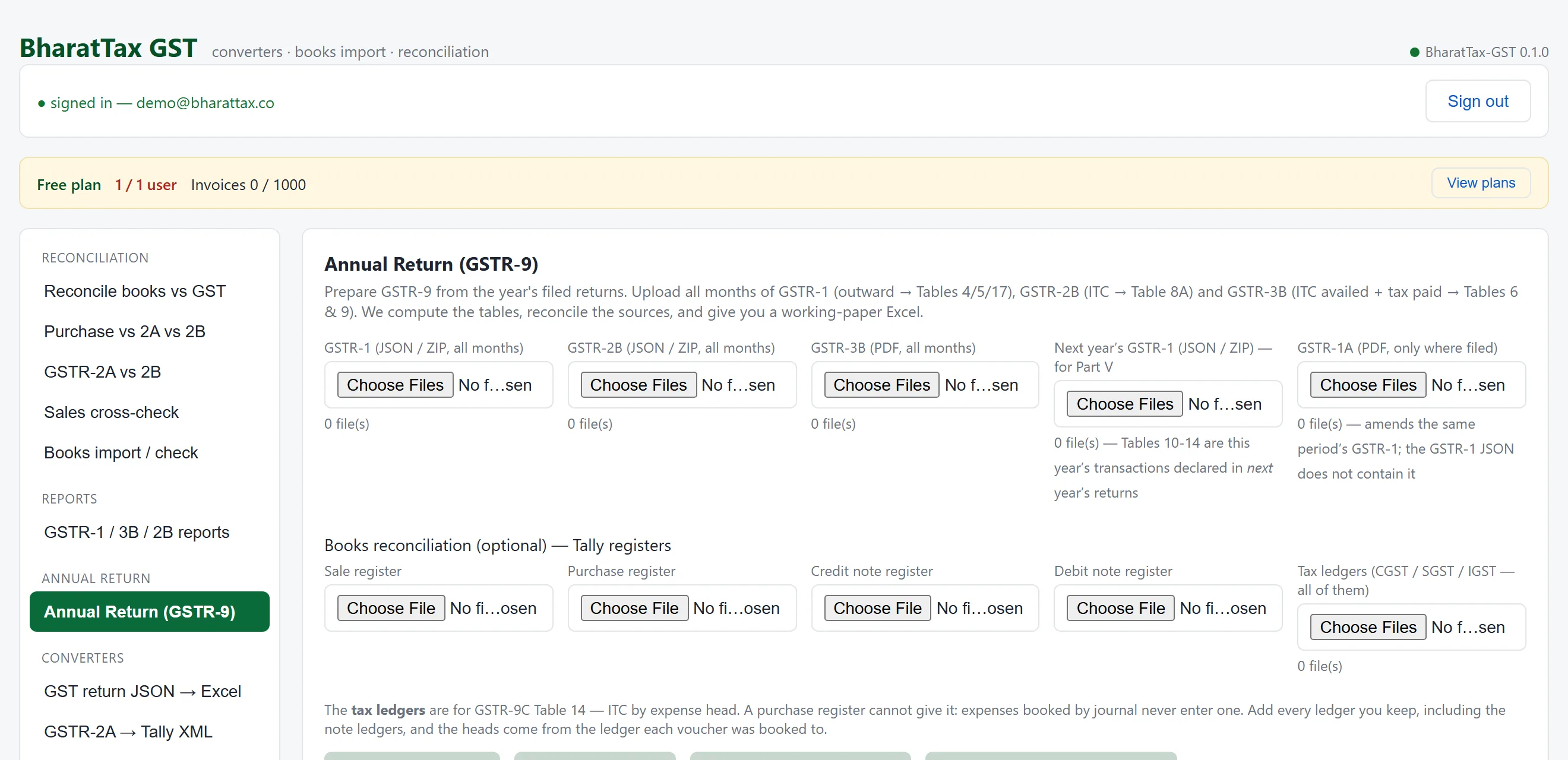
1A year of returns in
GSTR-1 for the outward tables, GSTR-2B for Table 8A, GSTR-3B for the ITC availed and tax paid. Optional books registers drive the 9C reconciliation, and next year’s GSTR-1 supplies Part V — this year’s transactions declared late.
2The computed tables, and what will not tie
Table 4N from the GSTR-1s, Table 8A from the 2Bs, and the Table 8 reconciliation flagged underneath. Note the line reading 3 GSTR-1, 0 GSTR-3B months: GSTR-3B is a PDF from the portal and none was supplied here, so Tables 6 and 9 are empty and the screen says so rather than showing a zero as though it were an answer.
6. Books import
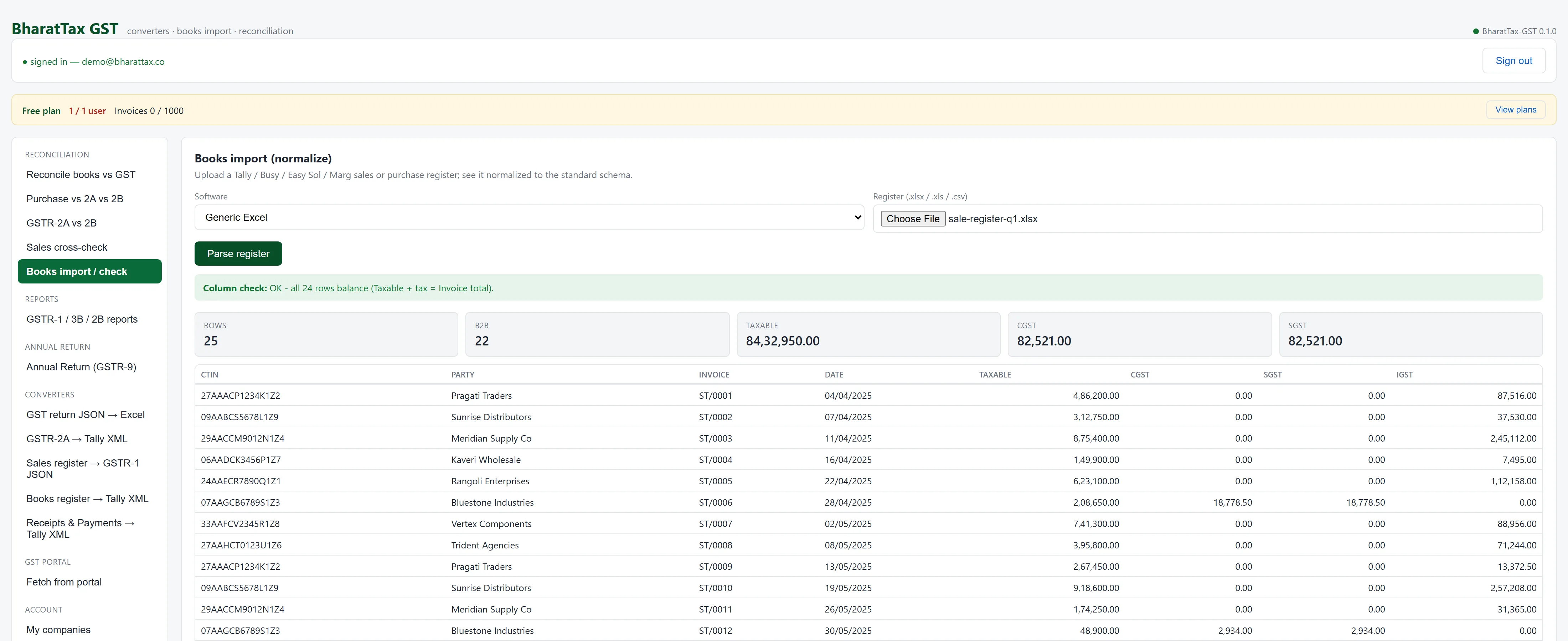
Check how your register reads before any reconciliation runs on it.
1Your export, normalised
Upload the register your software actually produces and see what the reader made of it — wide rate columns collapsed, two-row headers joined, dates parsed, the trailing total used to prove the read and then dropped. Every tool downstream reads this one shape.
7. Converters and the portal fetch
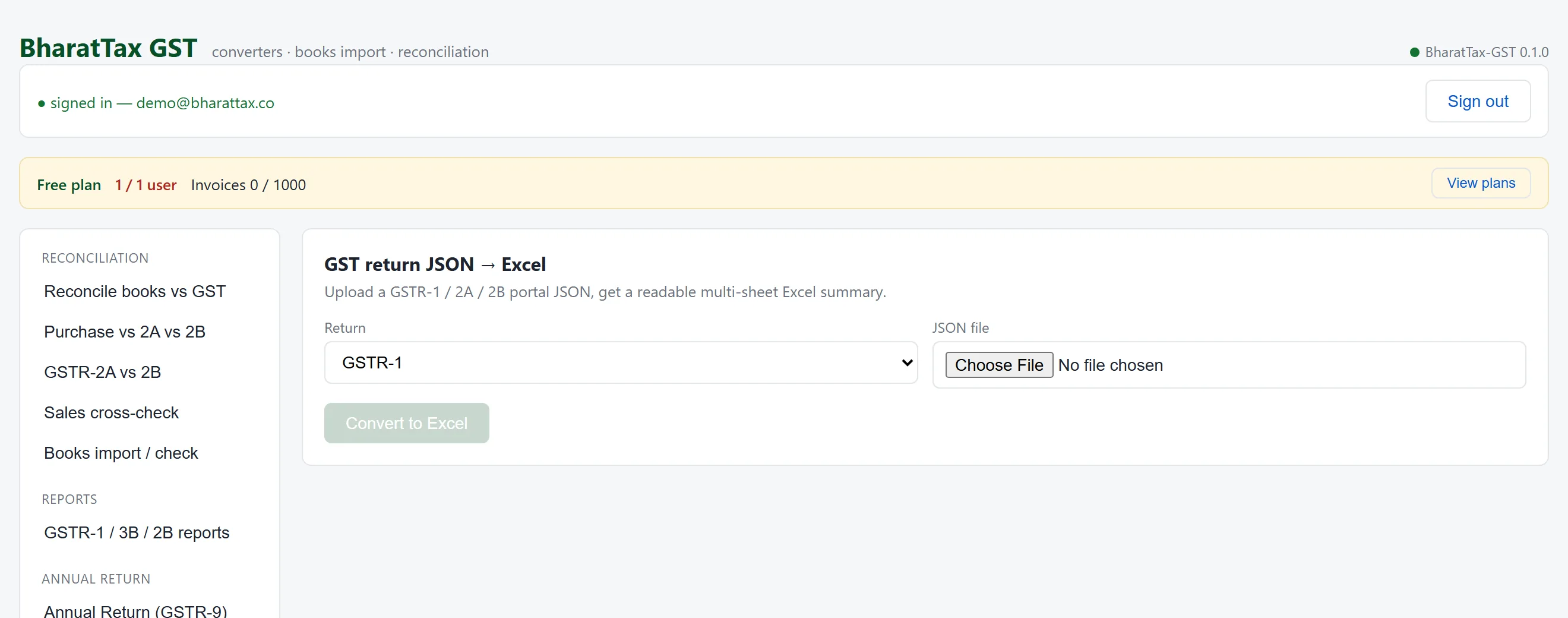
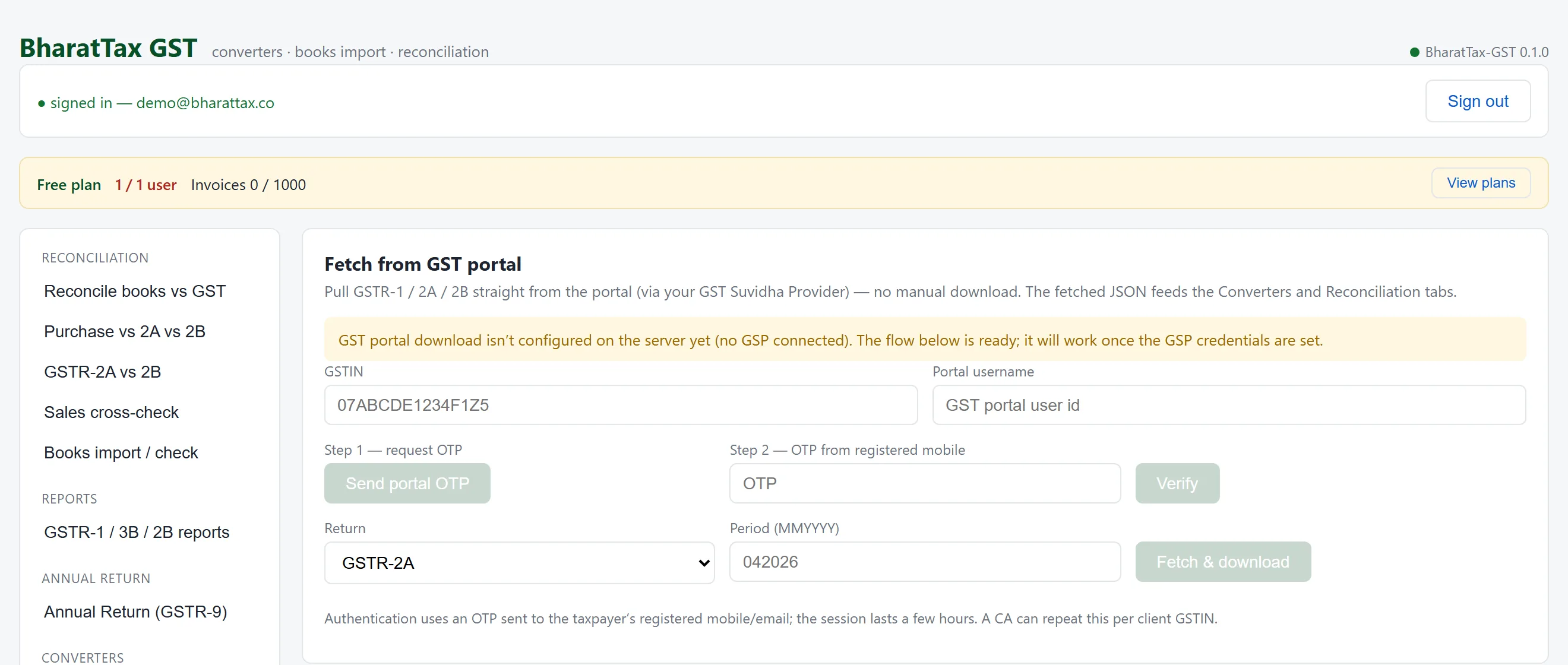
File in, file out — on the same readers the reconciliation runs on.
How these pictures stay honest. They are produced by a script that drives the real application — it opens each tool, fills the form, uploads the sample files, runs the engine and photographs the screen. Even the numbered markers are placed from the co-ordinates the live page reports for each control.
A screenshot pasted onto a marketing page is a liability the moment the interface moves: it keeps showing a column that no longer exists, and an image cannot fail a test. Regenerating every picture on this page is one command.
Put your own quarter through it
A free account takes an email and a one-time code. One GSTIN, a thousand invoice rows, and every screen above.